Step 1:
Click on “Hello, (Your Name)” in the top right corner, then click on “My Account”.
Step 2:
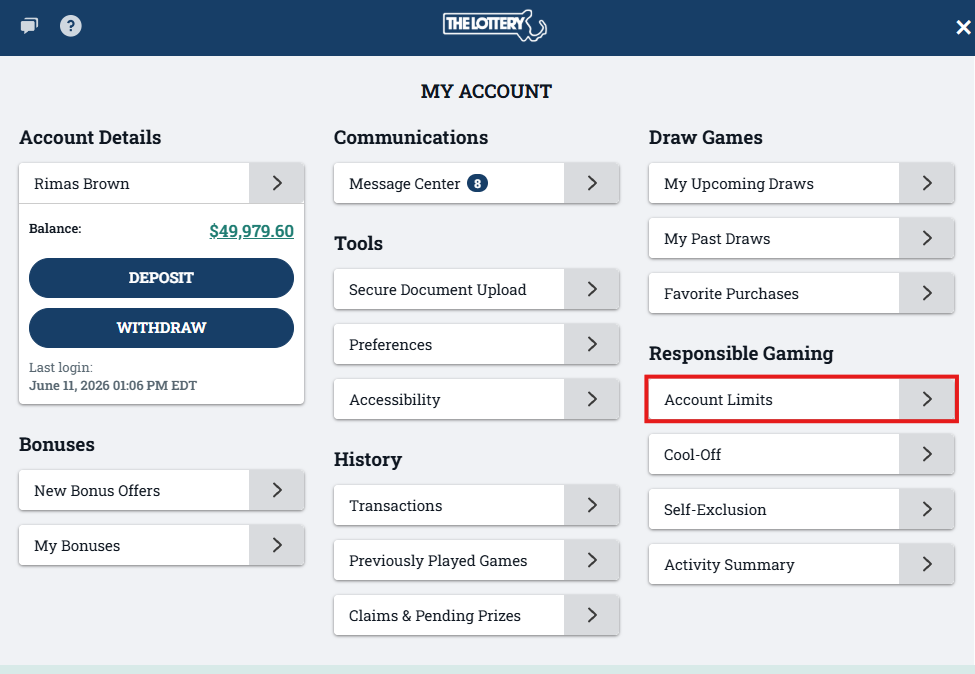
Click on “Account Limits” under the Responsible Gaming section.
Step 3:
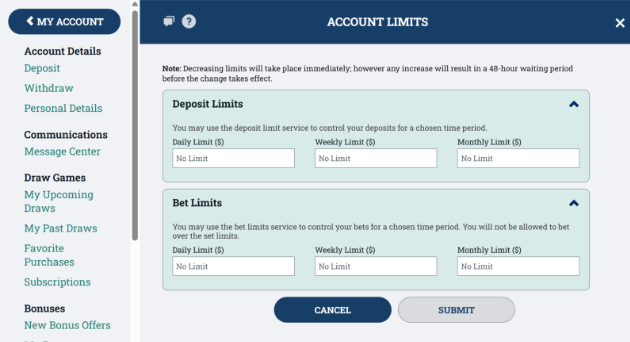
Here you can set your own Account Limits for deposits and wagers. You can choose to set a Daily, Weekly, and/or Monthly deposit limit. This will restrict you from depositing anything more than the limit you set. You can also choose to set a Daily, Weekly, and/or Monthly bet limit. This will restrict you from placing any bets more than the specified limit you set. Once you have set your preferred limit, click “Submit”.