Once logged in, go to Make Deposit in your account and choose from the available secure payment methods. Follow the prompts to confirm.
Step 1:
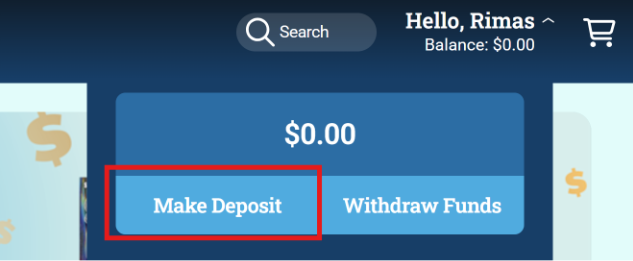
Once signed in, click on “Hello, (Your Name)" in the top right corner, then click on “Make a Deposit”.
Step 2:
A screen will pop up with multiple options for Deposit Methods, choose the method you would like, enter the required information then click “Submit”.
Mobile:
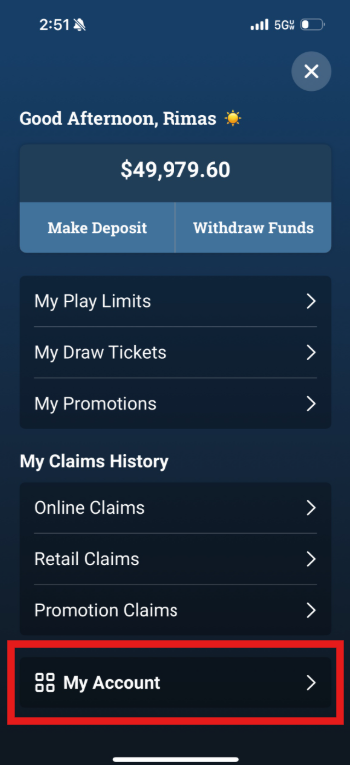
Step 1: Once signed in, click on the  icon in the top right corner, then click on “Make a Deposit”.
Step 2:
A screen will pop up with multiple options for Deposit Methods, choose the method you would like, enter the required information then click “Submit”.