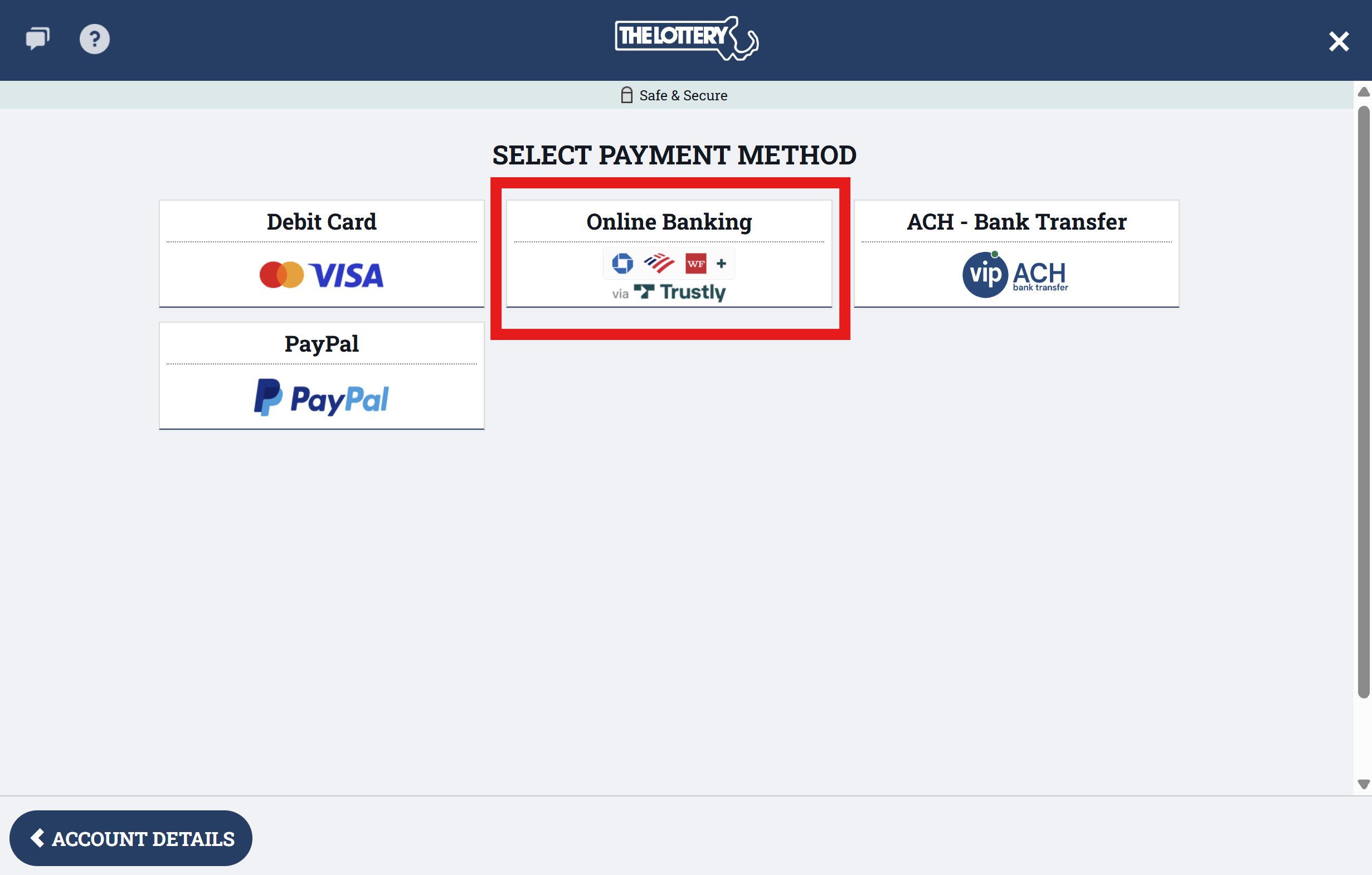
1. Click on your account, then click on "Make Deposit". Then select "Online Banking" option:
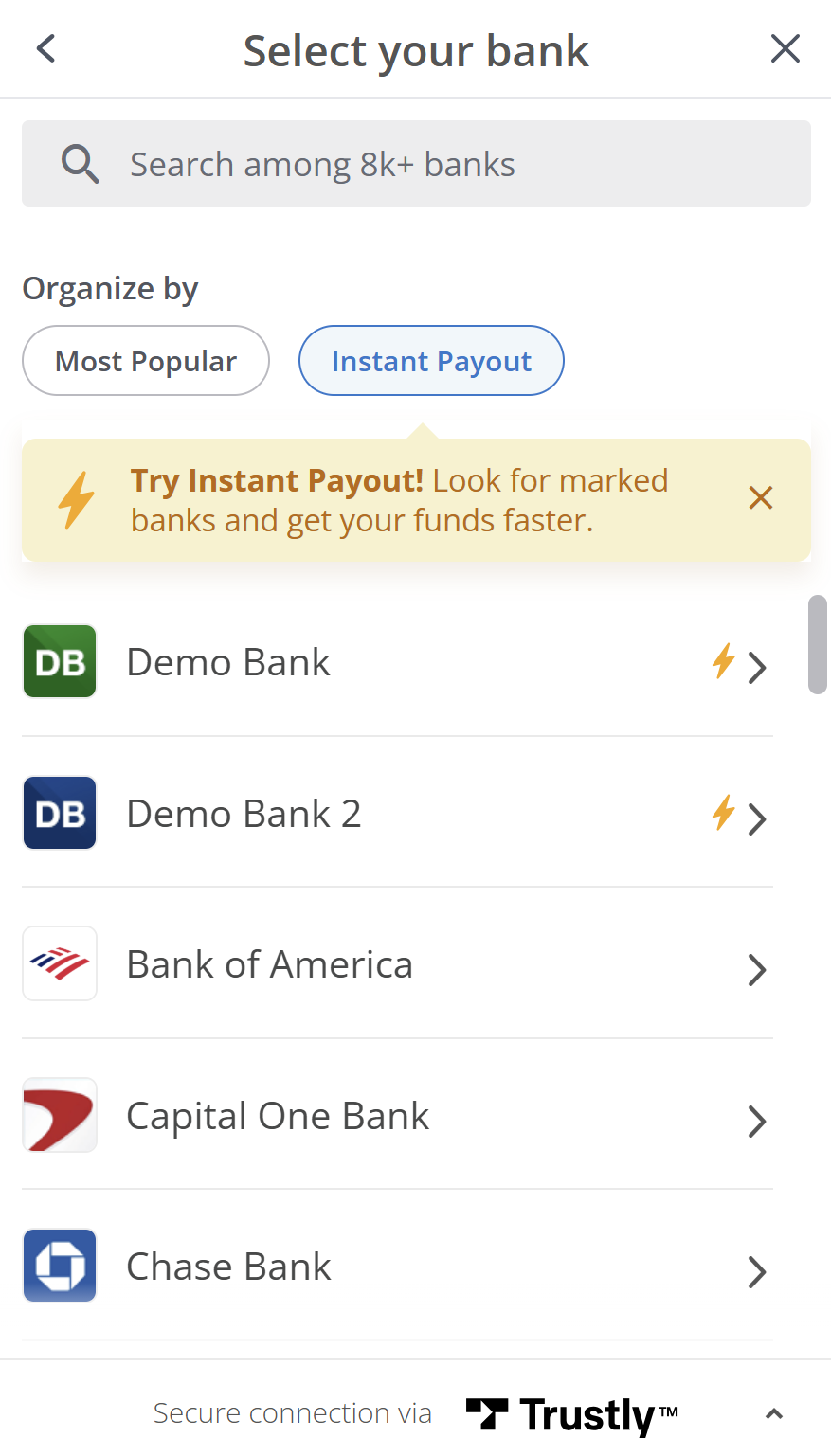
2. You will then get a pop-up to choose the bank you would like to use, once you have selected your bank, you will be asked to sign into your bank, or be redirected to the bank's website to login and connect your bank to your Mass Lottery Account.
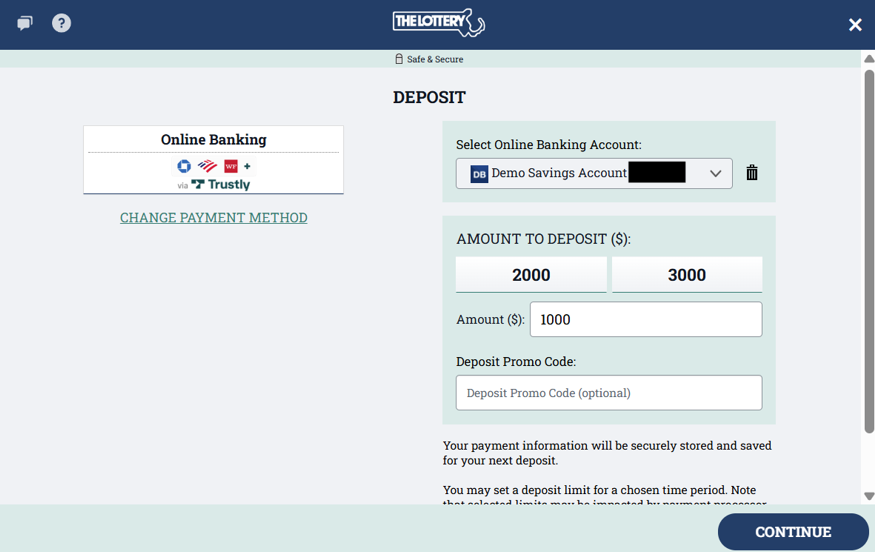
3. Once you are signed into your bank account, please fill in the necessary fields and click "Continue".
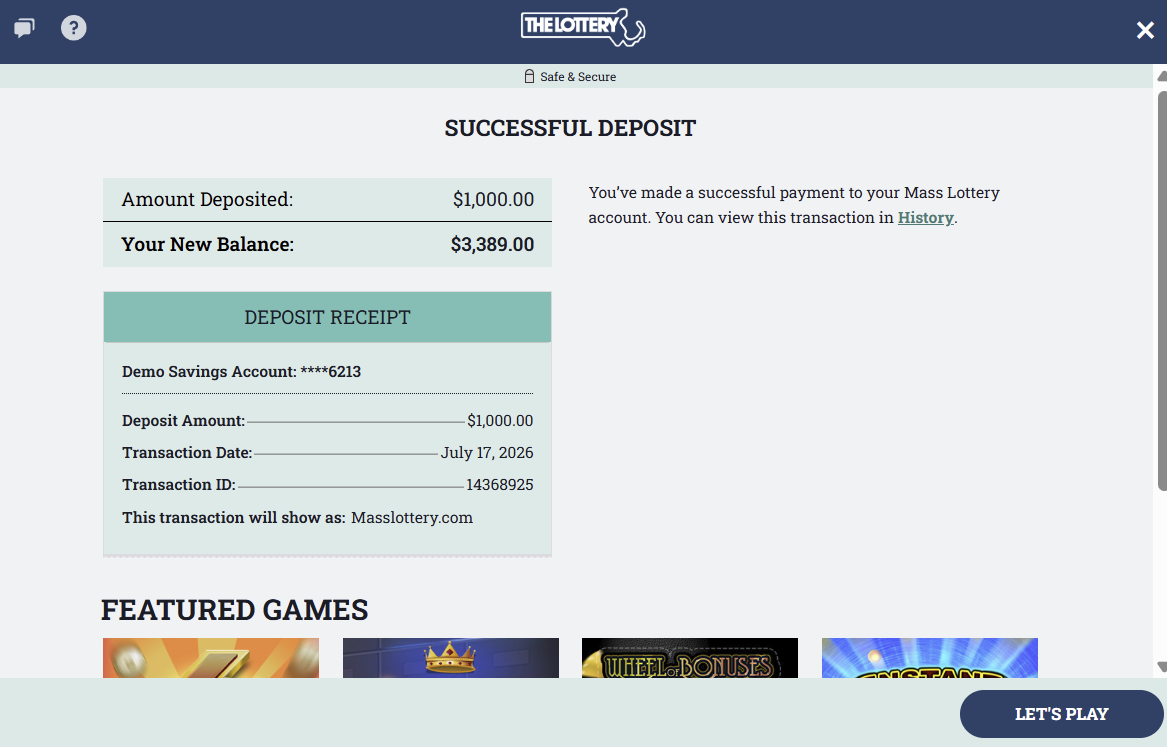
4. You should then be shown a pop-up that says "Successful Deposit". You have now added money to your wallet. Please play responsibly!