Step 1:
While logged in, click on “Hello, (Your Name)” in the top right corner, then click on “My Account”.
Step 2:
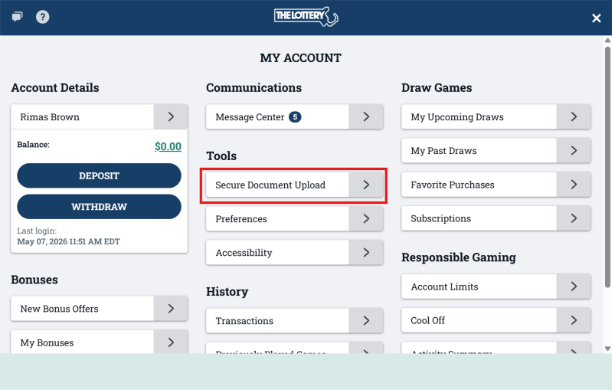
Click on “Secure Document Upload” under the “Tools” section.
 \
\
Step 3:
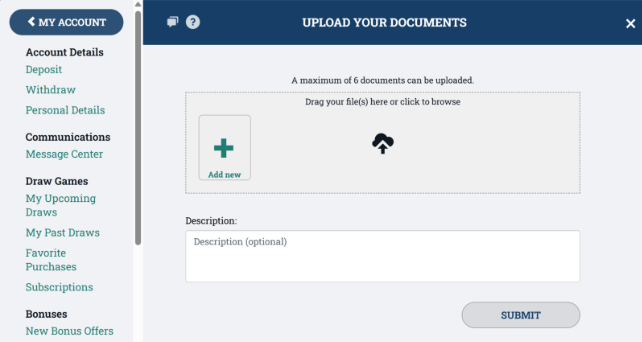
Follow the instructions given to upload your documents. You can upload up to 6 files. Supported file types: PDF, JPEG, PNG, TIF. You can drag and drop files into the upload box, or click on “Add New” to browse for files. Click “Submit” to complete your upload.