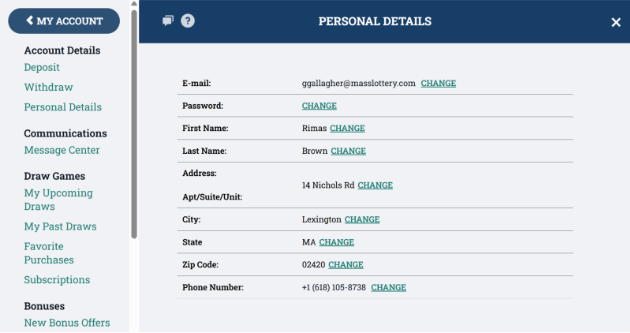
You can update any of your personal details or password through the My Account menu. Depending on what needs to change, the process varies slightly. For example, changing your password does not require verification of personal documents, but you will need to complete Two Factor Authentication (2FA). If you need to change your last name, additional documentation is needed, and the timeline for approval takes longer due to a compliance check to verify your identity.
Step 1:
While logged in, click on “Hello, (Your Name)” in the top right corner, then click on “My Account”.
Step 2:
Click on your name to view your account information.
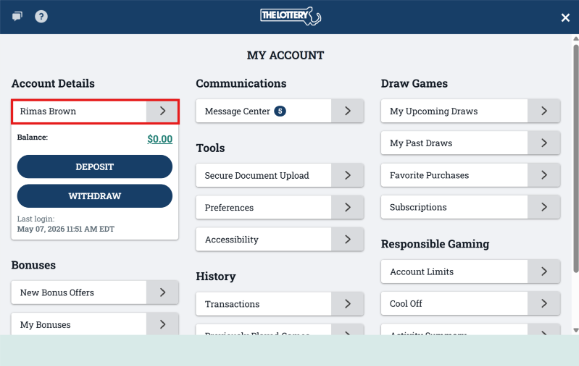
Step 3:
Here you can change any of your information that is listed. Click “Change” next to the detail you wish to change, and follow the prompt given. Again, the process varies depending on what you need to change.