My Bonuses

Created by Gregory Gallagher, Modified on Tue, 26 May at 4:02 PM by Gregory Gallagher

Step 1: 

Click on “Hello, (Your Name)” in the top right corner, then click on “Access Full Account”. 

Step 2:  

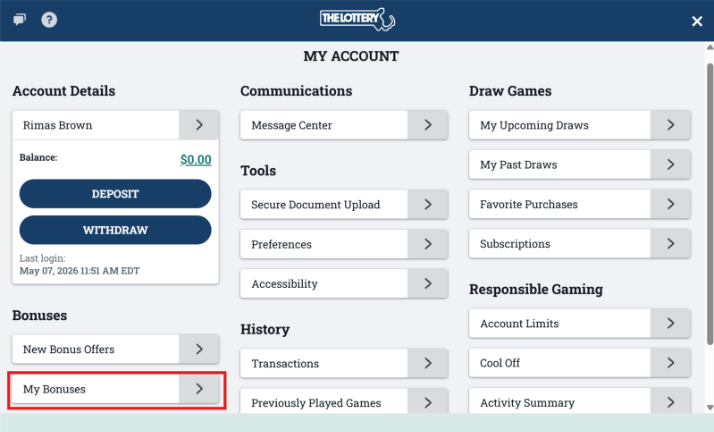
Click on “My Bonuses” under the Bonuses section.  


Step 3: 

To view your bonus activity or your bonus history, click “Let’s Play” to redeem any active free game bonuses in your account.  
Was this article helpful?

That’s Great!

Thank you for your feedback

Sorry! We couldn't be helpful

Thank you for your feedback

Let us know how can we improve this article!

Select at least one of the reasons
CAPTCHA verification is required.

Feedback sent

We appreciate your effort and will try to fix the article