Deposit by ACH Bank Transfer

Modified on Wed, 22 Jul at 1:47 PM

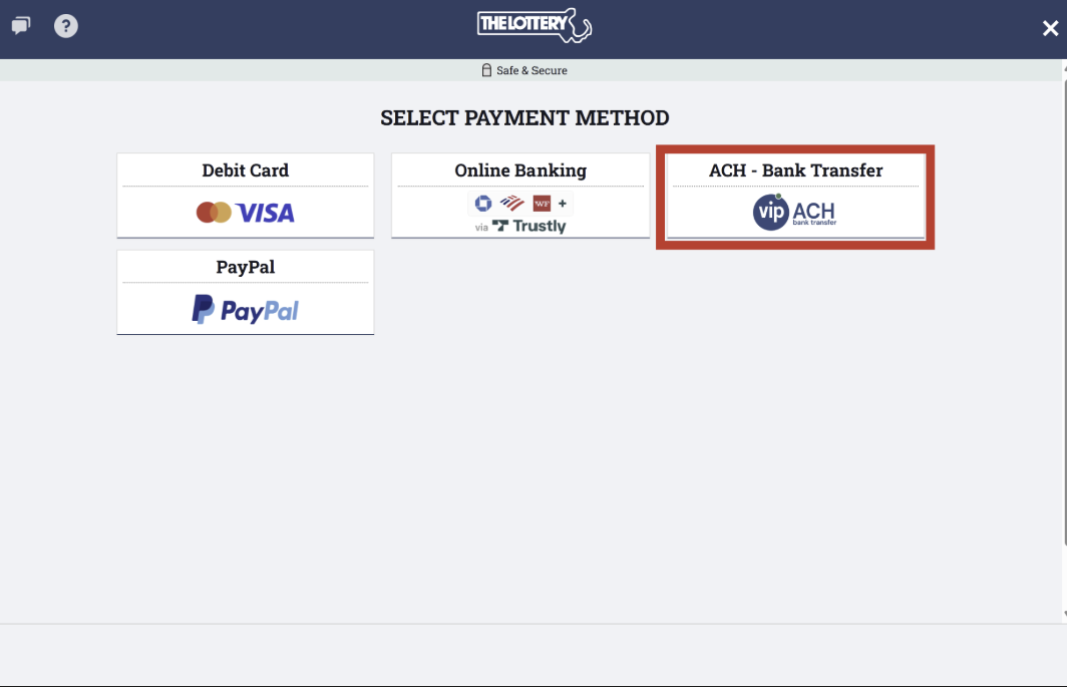
1. Click on your account, then click on "Make Deposit". Then select "ACH - Bank Transfer" option:


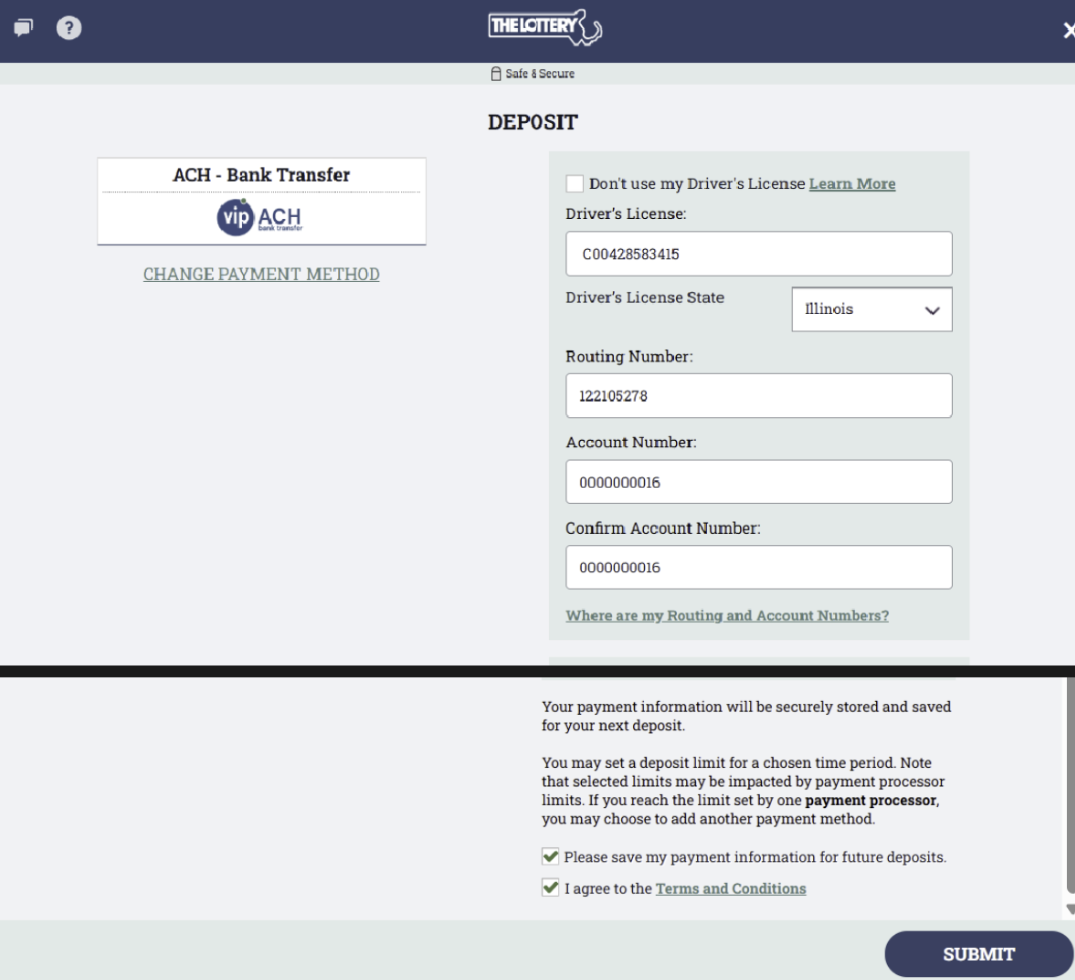
2. Fill in the necessary fields, agree to the Terms & Conditions, and click "Submit". 


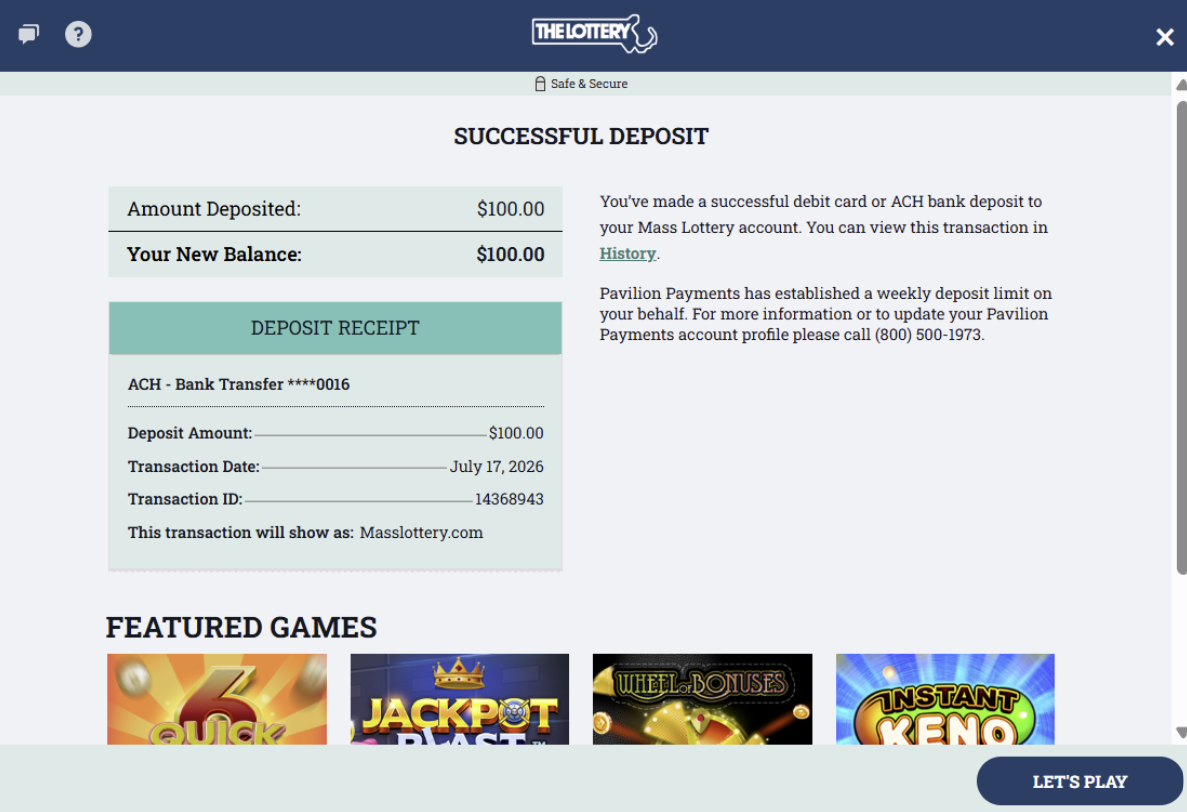
3. You will then see a "Successful Deposit" pop-up. This means money has been successfully added to your wallet. Please play responsibly!


Was this article helpful?

That’s Great!

Thank you for your feedback

Sorry! We couldn't be helpful

Thank you for your feedback

Let us know how can we improve this article!

Select at least one of the reasons
CAPTCHA verification is required.

Feedback sent

We appreciate your effort and will try to fix the article