Upcoming Draws

Created by Gregory Gallagher, Modified on Tue, 26 May at 4:27 PM by Gregory Gallagher

Step 1: 

Click on “Hello, (Your Name)” in the top right corner, then click on “Access Full Account”. 

Step 2: 

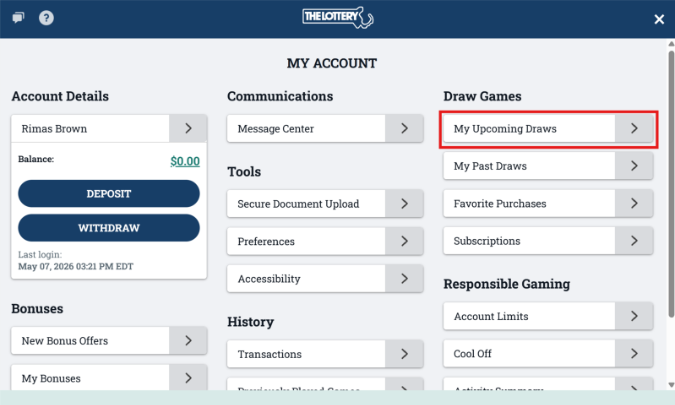
Click on “My Upcoming Draws”.  


Step 3: 

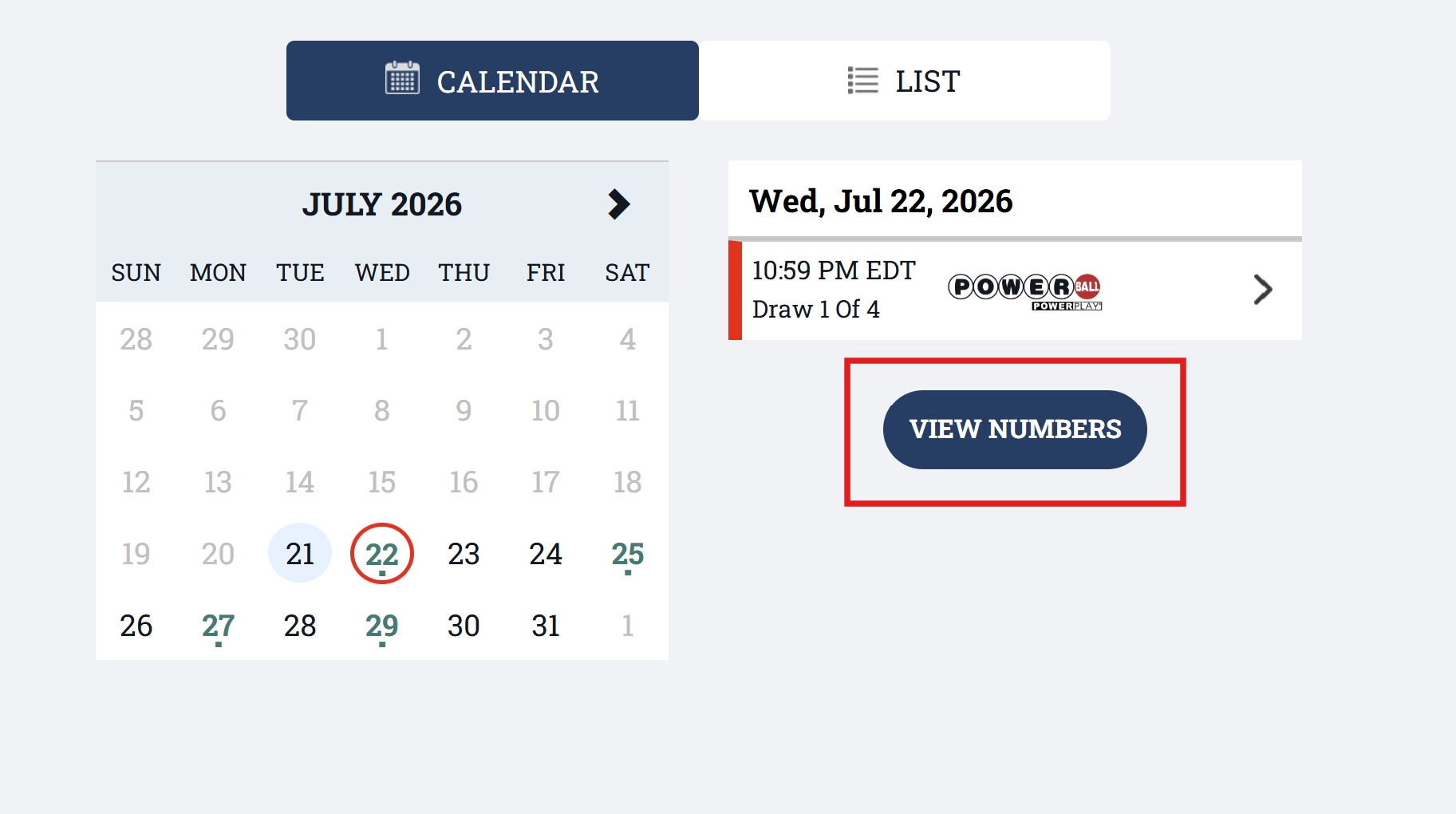
Here you will be able to see a list of the upcoming draws that you have purchased, with the next drawing appearing first. You can also choose “Calendar” which will show your drawings on a specific day. If you want to see your numbers for a specific drawing, click on “View Numbers”.  
***Screenshot*** 


Saving a Favorite: 

Desktop: 

When placing a wager in your shopping cart, before checking out, you can check the box to “Add to my favorite numbers”. This will allow you to reuse your numbers easily when placing a wager on your preferred game. 

Was this article helpful?

That’s Great!

Thank you for your feedback

Sorry! We couldn't be helpful

Thank you for your feedback

Let us know how can we improve this article!

Select at least one of the reasons
CAPTCHA verification is required.

Feedback sent

We appreciate your effort and will try to fix the article