Step 1:
Click on “Hello, (Your Name)” in the top right corner, then click on “My Account”.
Step 2:
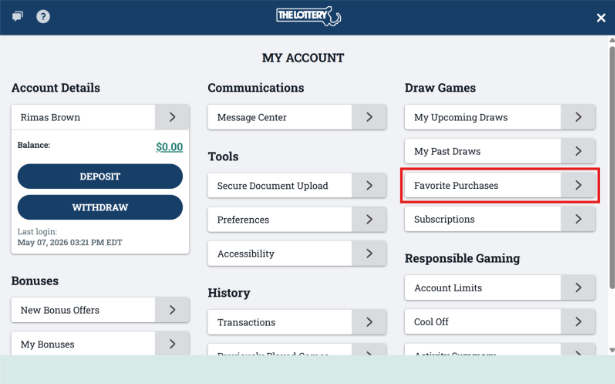
Click on “Favorite Purchases” under the Draw Games section.
Step 3:
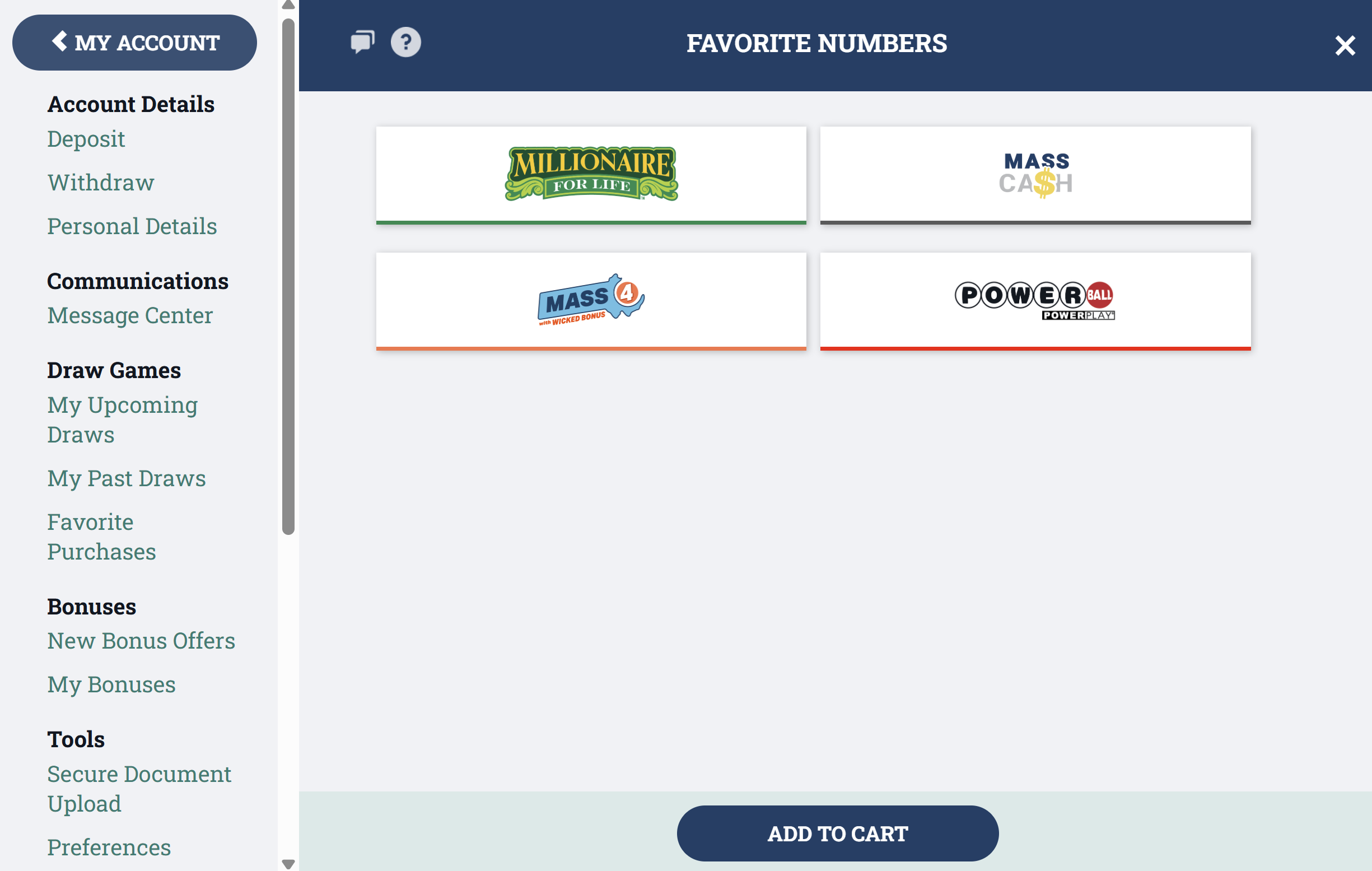
Select the game you would like to use your favorite numbers for, click on the numbers you'd like to use then click “Add To Cart”.
Step 4:
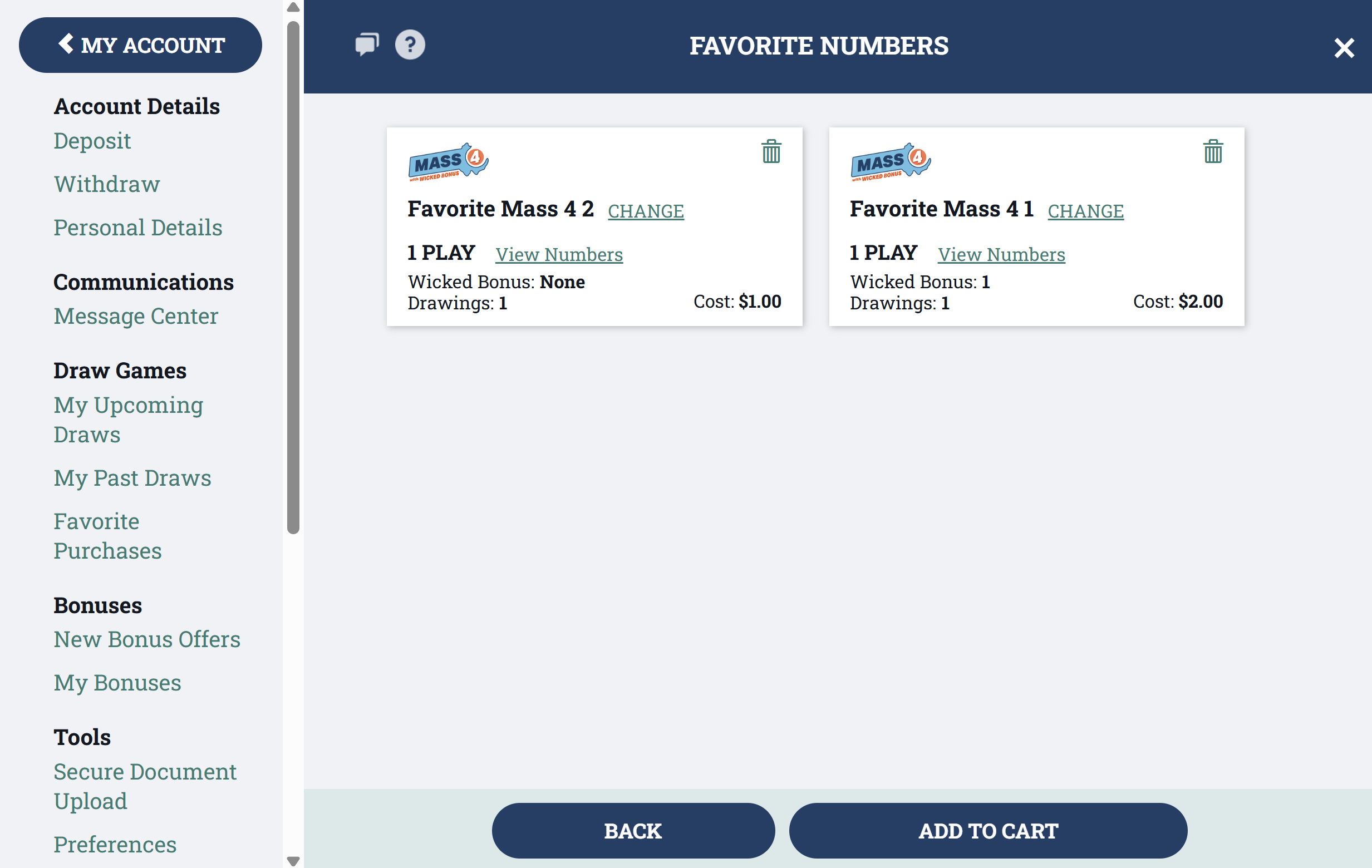
You can then select “View Numbers” to see the details about your saved favorite numbers. You will see the total tickets and the numbers you saved. You can also view the details of the next draw and the total cost for purchasing this selection again. When ready, select “Add To Cart” to purchase this combination for the next drawing.