Previously Played Games

Modified on Tue, 21 Jul at 10:24 AM

Step 1: 

Click on “Hello, (Your Name)” in the top right corner, then click on “My Account”. 

Step 2: 

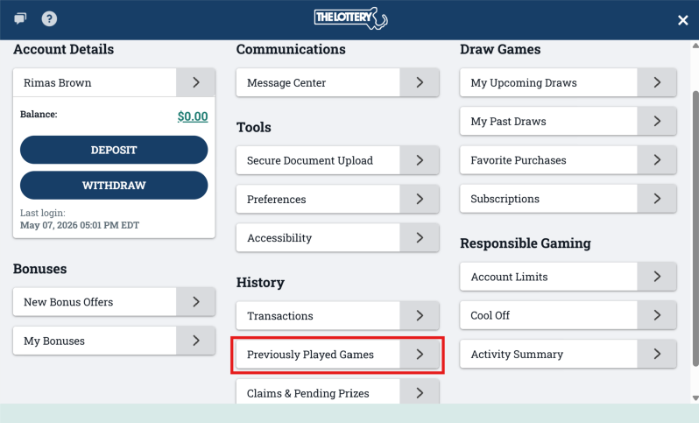
Click on “Previously Played Games” under the History section. 
 

Step 3: 

Here you can watch a replay of any game listed or check game results for a draw game purchase. You can filter by Game Type and Date, then click “Show”.  

Was this article helpful?

That’s Great!

Thank you for your feedback

Sorry! We couldn't be helpful

Thank you for your feedback

Let us know how can we improve this article!

Select at least one of the reasons
CAPTCHA verification is required.

Feedback sent

We appreciate your effort and will try to fix the article