Step 1:
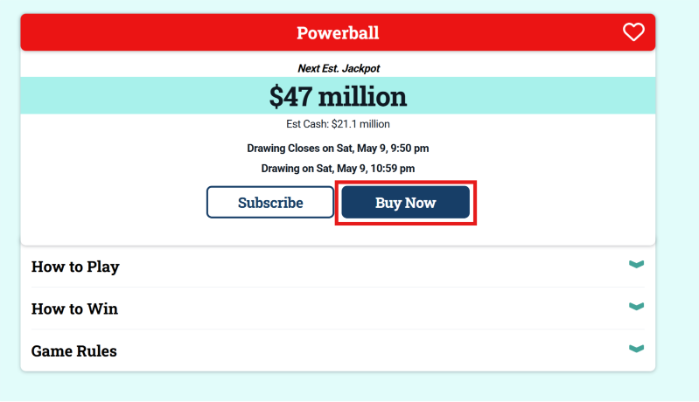
Navigate to the game of your choice and click “Buy Now”.
Step 2:
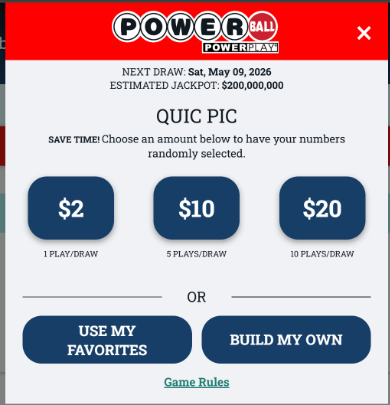
A pop-up will appear and you can choose one of the Quic Pic recommended wagers (this will generate a Quic Pic for you after selecting the wager amount), choose one of your “Favorites”, or build a new wager.
Step 3:
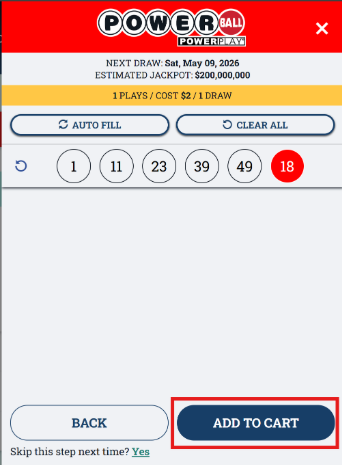
If you choose a Quic Pic wager, click “Add to Cart” and the wager will be placed into your Shopping Cart.
Step 4:
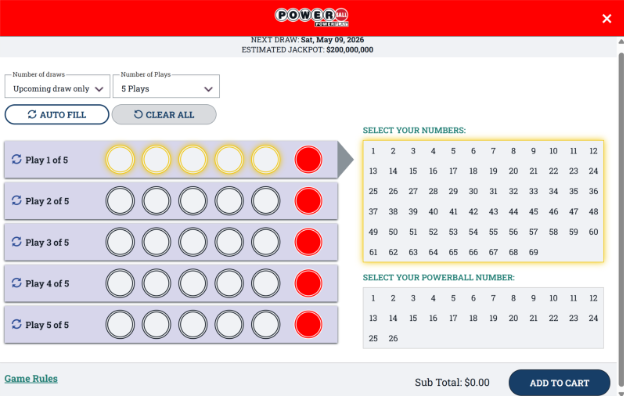
If you build your own wager, select the number of draws, the number of plays, and the numbers you would like to play. Then click “Add to Cart”. This will add your wager to your shopping cart.
Step 5:
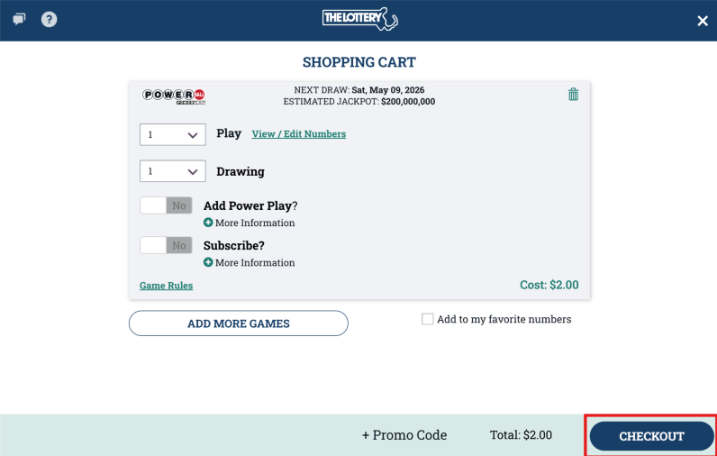
Your shopping cart will then populate and you can review the wager you want to place. Here you can edit your wager (change numbers or quantities). Once you are satisfied with your wager, click “Checkout”.
Step 6:
You will then be prompted to review your purchase, you can review your payment method and wager details, then click “Submit” when ready.